How to Track Flight Prices in 2026?
Google Flights is a practical way to learn how to track flight prices and receive alerts for a route or selected itinerary. Enter your airports and dates, turn on tracking, and use saved searches to monitor changes; alerts prompt you to compare the full fare, not guarantee the lowest price. The method suits travelers comparing options; bookers should compare the final itinerary and fare rules.
Key Takeaways
- Google Flights can send price alerts for tracked routes or selected itineraries.
- A route search helps you monitor options; tracking a specific itinerary focuses on the flights and dates you chose.
- An alert is a reason to recheck the fare, since availability and booking details can affect the price you see.
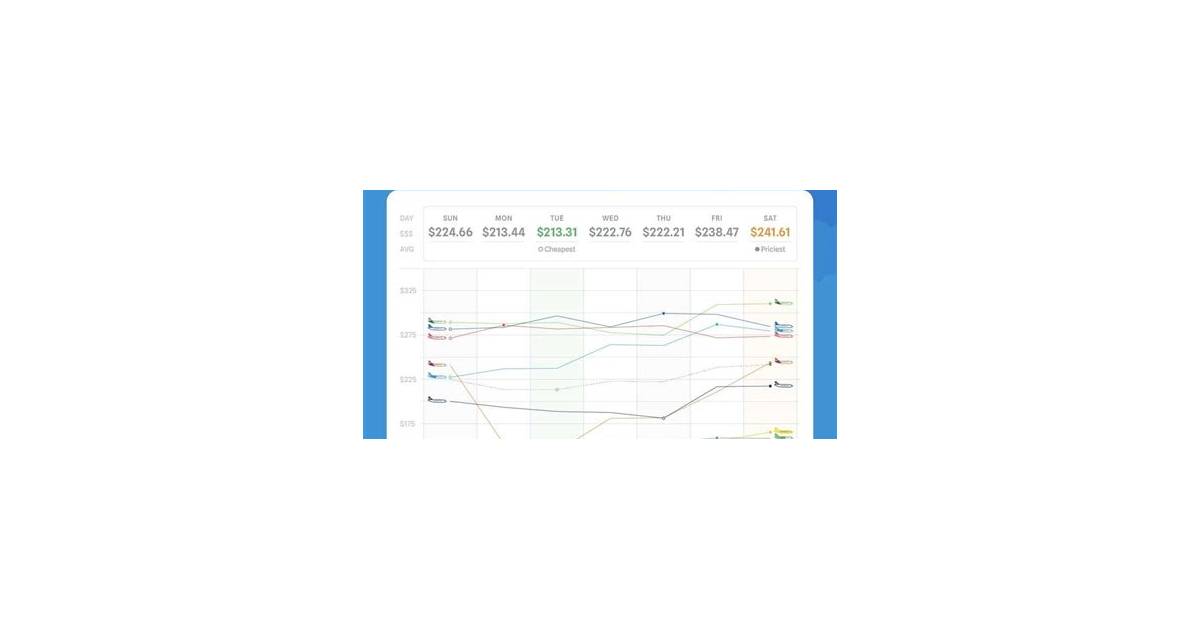
- Comparing travel dates is more useful than assuming Tuesday will always have the lowest fare.
What You Need Before You Track a Flight
Gather your route, travel preferences, and notification access before setting up price tracking. This makes it easier to monitor the right flights and recognize when an alert matches your plans.
- Departure and arrival: Have the airport codes or city names ready. If nearby airports are practical, decide which ones to include.
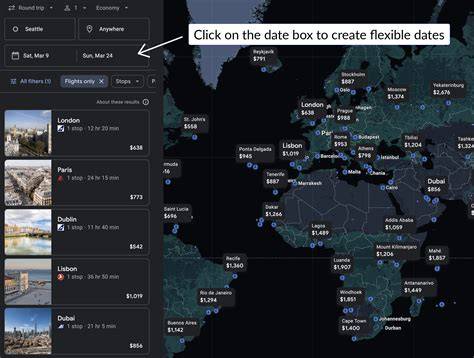
- Dates: Choose exact travel dates or decide how flexible you are. Flexible dates help you compare a wider range of fares.
- Trip details: Know the passenger count, cabin, and stop preferences you want to use. These choices affect which flights appear in your search.
- Notifications: Sign in to the Google account you plan to use for Google Flights, and make sure you can access its email inbox. That is where you can look for tracking notifications.
- Device: Use a phone, tablet, or computer where you can sign in and review saved searches. Menus and available controls can differ across devices or interface versions.
A focused search is easier to manage, but overly narrow preferences can leave out flights you would consider.
Choose Whether to Track a Route or an Exact Flight
Choose route tracking when your travel dates can move; use fixed dates and flight preferences when the day, timing, or connection matters. Google Flights supports tracking searches for set dates or “Any dates.” Google’s instructions describe both options.
| Search type | Best when | What the alert follows | Main limitation |
|---|---|---|---|
| Route with flexible dates | You can travel across different dates | Fares for the route across available dates | It may not highlight the exact flight you would choose |
| Fixed-date itinerary | Your travel days are set | Search results matching your dates and preferences | A route alert does not guarantee the same individual flight or fare remains available |
Flexible-date tracking helps you spot cheaper travel windows, but it can miss a fare that suits only a particular departure time or connection. For a fixed trip, narrow the search using the dates and preferences that matter, then compare the listed itinerary before booking.
Use the same passenger count and cabin you expect to book. Otherwise, the tracked flight or route may not reflect the fare you will actually pay.
Set Up a Google Flights Price Alert Step by Step
Use Google Flights to save a route search and receive email updates when tracked prices change significantly. Follow these steps; button wording or placement may change as Google updates the interface.
Open Google Flights and enter your trip details. Set the departure and arrival airports, travel dates, passenger count, and cabin. Expected result: a search configured for the trip and fare type you want to monitor.
Review the search results. Check the dates, airports, number of passengers, cabin, stops, and flight times against your plans. Expected result: results that match the journey you intend to take, rather than a similar route or itinerary.
Choose what to track. For fixed dates, keep the selected dates. If your dates are flexible and Google shows the option, choose Any dates to monitor the route across different travel dates. Expected result: tracking set to either your chosen dates or a broader date range.
Turn on price tracking. Select the Track prices control for the route and dates you want to follow. Google’s price-tracking instructions describe tracking searched dates or, when available, “Any dates.” Expected result: the control changes to show that tracking is active.
Confirm the saved search. Look for an active tracking indicator or the search in your tracked flights. Expected result: the route appears as saved, so you can return to it and manage the alert.
A route alert follows the search criteria you selected; it does not reserve a seat or lock in a fare. Open the alert and compare the available itinerary and total price before booking.
Track a Specific Flight and Manage Saved Searches
To follow one itinerary rather than every option on a route, select the flight choices first, then turn on tracking for those flights. Google Flights keeps saved items in Tracked Flights, where you can review searches, adjust email notifications, or remove a search.
- Select the itinerary. Choose your preferred flights in the results, including the outbound and return options if you are booking a round trip. Expected result: the exact itinerary you want to monitor is selected.
- Turn on tracking for those flights. Use the tracking control for the selected itinerary. Expected result: the flights appear as tracked.
- Open Tracked Flights. Find the saved-search area in Google Flights and select a tracked route or itinerary to review it. Expected result: you can see the saved item and return to its results.
- Change email notifications if needed. Use the notification control, labeled Add notification in Google’s instructions, to turn tracking emails on or off. Expected result: email alerts are enabled or disabled without removing the saved search.
- Remove an old search. Choose Remove beside a route or flight you no longer want to follow. Expected result: it is no longer in your tracked list.
Turning off emails and removing a search are different actions: disable notifications to keep the search saved, or remove it to stop tracking altogether. Labels may differ across devices.
Check That Your Flight Price Tracking Is Working
A quick review of the saved search can catch a setup mistake before you rely on a flight price alert.
- Open your tracked flights. Select the saved route or flight and check the departure and arrival airports, travel dates, passenger count, and cabin. Correct any detail that does not match your plans.
- Confirm tracking is active. Look for the saved-search entry and its tracking control. It should show that price tracking is on, not offer an option to turn it on.
- Check where alerts go. Make sure you are signed in to the account linked to the search, then verify that its email address is accessible and notifications are enabled.
- Allow time for a price change. No immediate email does not mean tracking failed. Google Flights says it can send email updates when a tracked fare changes significantly, so an unchanged fare may produce no alert.
If the search details and tracking status are correct, your setup is working even before the first notification arrives.
Troubleshoot Missing Alerts and Unexpected Prices
If an alert is missing or a fare looks different, check the saved search and itinerary before rebuilding the alert. Google Flights can send email updates when a tracked price changes significantly, but tracking does not guarantee an update for every change.
You are not receiving emails
- Confirm tracking is still on for the intended route or flight. Open the saved search and check its tracking control.
- Check the account and inbox. Make sure you are signed in to the account used for the search, then look in spam, promotions, and other filtered folders.
- Review notification preferences. Confirm that email alerts are enabled for the account or app you use.
- Give the fare time to change. No email may simply mean there has not been a significant change. Google describes its flight price tracking alerts as updates for significant price changes.
The tracked search does not match your trip
- Compare the search details: travel dates, departure and arrival airports, cabin, number of passengers, and stops. Correct any mismatch before relying on the alert.
- Recheck the fare before booking. Prices and seat availability can change between an alert and the booking page. Compare the same itinerary and fare conditions, including baggage and change rules.
- Remove and recreate the search only after checking its settings. This can fix a saved search with the wrong details, but it will not make a fare or seat remain available.
Use Price History and Alerts to Make a Booking Decision
Use price history and alerts to judge whether a fare deserves a closer look, not to predict the exact price you will get later. Compare the current fare with any available price-history or price-insight information for the same dates, airports, cabin, and passenger count; a different itinerary is not a useful benchmark.
Google Flights alerts can provide information about fare changes, but neither guarantees what the fare will do. Treat a warning as a prompt to review the booking, not as proof that you must buy immediately. If the current fare fits your budget and schedule, weigh it against the cost of waiting and the possibility that the itinerary or seat will no longer be available.
Before buying, compare the full trip: departure times, stops, baggage, change rules, and total cost. Then reopen the live fare and read the booking conditions, since the alert price may no longer be available. I would not wait for Tuesday on the assumption that it is always the cheapest day; compare the actual itinerary and dates you can travel.
Track Several Trips More Efficiently
A clear naming system makes saved searches easier to compare and keeps alerts useful. I recommend tracking only trips you may actually book, then removing searches when plans change.
- Label each search clearly: note the route, dates or date range, passenger count, and cabin. “JFK–LHR, Oct 10–17, 2 adults” is easier to tell apart from a nearby-date search than a city pair alone.
- Remove stale searches: stop tracking trips you have ruled out so alerts for old plans do not distract you.
- Compare alert coverage before switching tools: another flight price tracker or app should support your route and the alert type you need. Google Flights supports tracking searched dates or “Any dates.”
- Review privacy and notifications: before connecting an account or sharing trip details, read the service’s data settings and choose how alerts reach you. Free features and route coverage differ and can change, so compare the specific functions you need.
The Bottom Line
How to track flight prices comes down to monitoring the right search and checking each fare before you book. Track a route when your dates or flight times can change; follow an exact itinerary when you already know which flights you want. Price alerts can point out a change, but they do not reserve a fare or guarantee that it is the lowest available.
Use an alert as a prompt to compare, not as a booking instruction. Make sure the fare still matches your dates, airports, passenger count, and cabin. Then compare the full price and conditions, including baggage and seat costs where relevant, on the booking page. A lower headline fare may not be the better choice if it adds fees or has less suitable terms.
If your plans are flexible, compare nearby dates and airports before deciding that a price change is a deal. If you need fixed flights, judge the alert against the exact itinerary you saved. Either way, remove searches for trips you no longer plan to take so old notifications do not crowd out useful ones.
Next, open the saved search for your trip and compare its current full fare with the alert.Related reading:
- Find Cheap Flights and Hotel Packages to Jamaica for Your Next Getaway
- Cheapest Day to Book Flights and Hotels: 2026 Savings Tips
- Find Cheap Flights and Hotel Packages to the Dominican Republic
Frequently Asked Questions
Is there a website that tracks flight prices over time?
Yes. Google Flights lets you monitor fares for a route or selected itinerary and receive email updates when prices change. Its price insights can help put a fare in context, but an alert is not a guarantee of the lowest fare or a complete record of every price available in the market.
Can I track flight prices on Google?
Yes. Google Flights lets you switch on price tracking after searching for a route, then review the saved trip and fare changes. You can track fixed dates or, when the search allows, flexible dates. Sign in to the Google account you want to use for saved searches and alerts. Google’s instructions explain how to track prices.
What is the best website to track flights for free?
Google Flights is a flight price tracker. I recommend it when you want a straightforward search and email alerts without paying for a tracking service. Its limitation is that alerts and price insights do not guarantee the cheapest fare, so compare the booking options before buying.
Do flight prices go down on Tuesday?
No reliable rule says Tuesday is the cheapest day to book every flight. Fares change as airlines adjust availability and demand, so the day you search does not guarantee a lower price. Use flight price alerts to monitor your actual route and compare travel dates instead of waiting for one weekday.
Can I track a specific flight as well as a route?
Yes. Google Flights can track a route for a broader view of fares or a selected itinerary when you have dates and flight details in mind. Route tracking suits flexible plans; tracking a specific flight helps you follow the fare for the schedule you may actually book.
How do I stop flight price alert emails?
To stop Google Flights emails, open your tracked flights or saved searches and change the notification setting for the trip you no longer want to monitor. You can also remove that search. If you still want other updates, change only the relevant alert rather than disabling all email notifications.
Why did the flight price change after I got an alert?
A fare can change between the alert and the booking page because the airline or seller updated availability, or the displayed options differ. Compare the same dates, airports, flight times, passenger count, cabin and fare conditions. Check the final total, including baggage or seat fees, before deciding whether to book.

Similar Posts