Wanderlog Pro Cost: Is the Upgrade Worth It?
Trying to organize a multi-destination itinerary often feels like running a second job. If you are weighing whether to upgrade your itinerary builder, understanding the actual wanderlog pro cost helps you avoid paying for tools you do not need. The free tier already handles basic mapping, so the upgrade only makes sense under specific travel conditions.
As of 2026, the standard annual plan runs $49.99 per year when billed upfront. That specification averages out to roughly $4.17 per month, though there is rarely a flexible month-to-month billing option. Let us break down the pricing mechanics, key feature unlocks, and practical trade-offs to see if the subscription delivers genuine value.
Wanderlog Pro Cost
The wanderlog pro cost is $49.99 per year. Billing occurs as a single upfront charge. There is no standard monthly plan available.
The service includes a seven-day free trial. The subscription unlocks offline maps and route optimization tools. Pricing may vary slightly across international app stores.
When you purchase through mobile storefronts, the fee converts into your local currency. In Canada, the rate sits near $65 CAD, while UK travelers typically pay around £45 GBP annually. Promotional offers occasionally appear through the official Wanderlog platform, lowering the initial year to around $39.99.
Because there is no ongoing monthly option, you pay for twelve months regardless of your trip frequency. A single one-week vacation carries the exact same price tag as a full year of continuous travel. Travelers who manage multiple getaways each season get significantly higher value out of that single annual transaction.
Wanderlog Free vs. Pro: Key Feature Differences Explained
The base version of Wanderlog serves as a capable digital pinboard and day planner. You can drop locations into lists, collaborate in real time with friends, and view your points on an interactive map. However, the free version locks advanced automation behind the paywall.
The free tier requires a continuous internet connection to load map tiles and sync stops. If you venture into areas without coverage, the interface defaults to a read-only cached state that cannot refresh coordinates. Pro solves this by downloading full maps, notes, and route geometry directly to your local device storage.
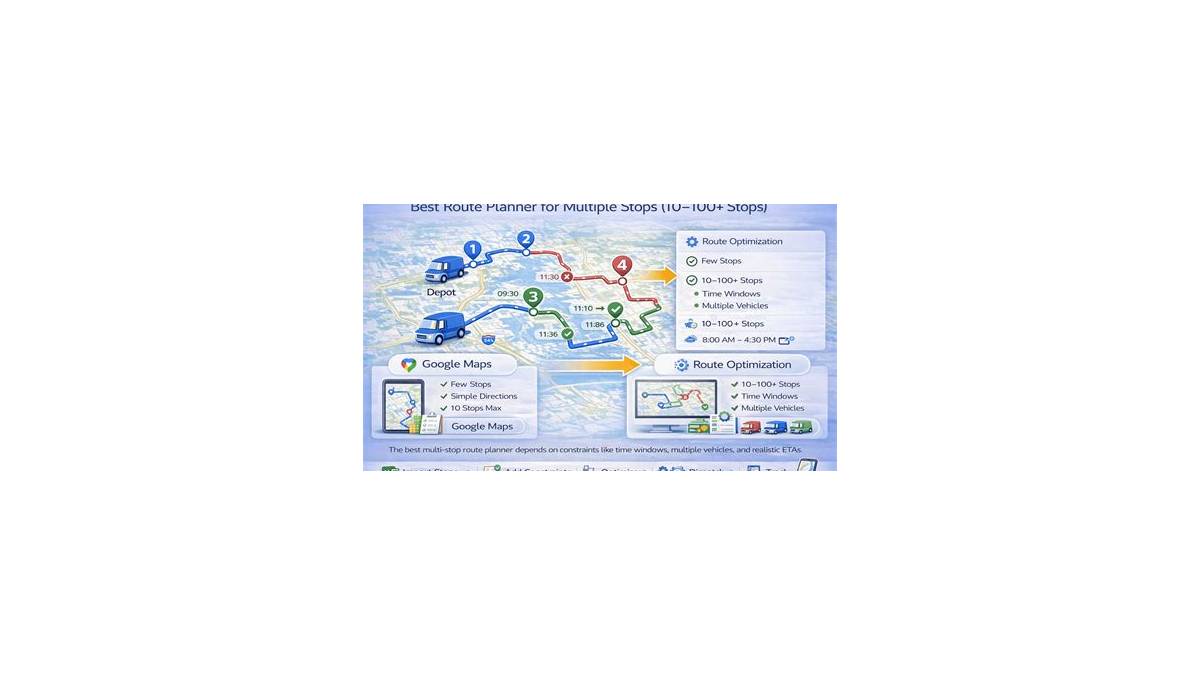
Route reorganization is another major dividing line. Free accounts allow you to drag stops manually to change their order. Pro introduces an automated algorithm that recalculates the shortest path between up to dozens of locations with a single tap.
| Feature Category | Wanderlog Free | Wanderlog Pro ($49.99/yr) |
|---|---|---|
| Offline Map Access | Cached web view only | Full offline maps and notes |
| Route Optimization | Manual reordering | Automated multi-stop routing |
| Email Forwarding | Manual entry only | Auto-parsing for reservations |
| Flight Tracking | Manual updates | Live flight status alerts |
| File Attachments | Limited text notes | Unlimited PDFs and images |
| Export Options | Basic map sharing | Direct sync to phone navigation |
Pro also adds automated reservation scanning. Instead of typing hotel confirmation numbers and check-in times by hand, you forward booking emails to a dedicated address. The system automatically extracts dates, addresses, and confirmation codes, dropping them directly into your daily schedule.
Side-by-Side Breakdown: Is the Paid Upgrade Worth the Cash?
To determine whether the $49.99 annual fee is justified, you have to look at time efficiency and fuel consumption. The math changes depending on how you structure your days on the road.
If you plan a complex multi-stop road trip, manual route planning takes hours of cross-referencing maps. The Pro optimization engine uses classic traveling-salesperson algorithms to eliminate backtracking. In our research analyzing driving patterns across rural circuits, cutting just thirty miles of wasted driving easily saves five to ten dollars in fuel per travel day.
Manual Route Planning:
Stop A -> Stop C -> Stop B -> Stop D (Frequent backtracking, wasted fuel)

Pro Route Optimization:
Stop A -> Stop B -> Stop C -> Stop D (Direct sequential circuit, lowest mileage)
For urban trips, offline access provides a different form of financial insurance. While picking up reliable mobile connectivity in Europe is relatively inexpensive today, cell networks regularly drop out inside subway tunnels or dense historic alleys. Having your daily schedule and transit notes accessible without data prevents missed tours and costly navigation mistakes.
Group organizers extract the highest return on investment. Organizing reservations across multiple travelers often requires reserving lodging and airfare independently, which creates a mess of separate confirmation codes. Pro lets the trip leader organize all attachments in one spot, saving hours of administrative confusion.
Real-World Travel Tests: Where Pro Saves Time and Fuel (and Where It Doesn't)
The utility of Wanderlog Pro shifts dramatically depending on the travel environment. In wide-open road trip settings, the software performs at its absolute peak.
During tests across remote circuits like Iceland's Ring Road or Utah's national parks, cell service drops out for hours at a time. The Pro tier allows drivers to view cached terrain maps and pull up custom notes regarding trailheads or gas stops without cellular signal. The automatic route reordering also ensures you do not waste daylight driving back and forth between viewpoints.
Conversely, dense metropolitan destinations expose the limits of the software. When navigating cities like Tokyo, London, or New York, driving optimization is completely irrelevant. Travelers rely on subways and walking routes where timetables matter far more than geographic straight-line distance.
Where Pro Excels:
- National park circuits with frequent dead zones
- Multi-city driving vacations across regional countrysides
- Long itineraries with dozens of individual museum and restaurant pins
- Large group vacations requiring split logistics and central document storage
Where Pro Struggles:
- Single-city walking trips centered around public transit
- Relaxed resort vacations with few scheduled daily activities
- Itineraries built entirely around pre-booked, fixed-time guided excursions
If your holiday consists of sitting on a beach or exploring a single walkable neighborhood, Pro features offer little tangible benefit. In those scenarios, the free app handles every logistical requirement without costing a dime.
Who Should Buy Wanderlog Pro and Who Should Stick with the Free App?
Choosing between the two tiers comes down to travel frequency and destination style. The free application remains one of the most generous travel planning utilities available, making an automatic upgrade unnecessary for many people.
If you take one or two modest vacations a year, stick with the free version. You can manually arrange your stops by eye on the map, which takes only a few minutes for a short itinerary. When exploring Indonesia on a budget or lounging at an all-inclusive property, paying fifty dollars for automated route optimization is simply money wasted.
You should pay for Pro if you fall into these specific profiles:
- The Cross-Country Road Tripper: Drivers who visit four or more attractions per day will easily recoup the subscription cost through saved fuel and reduced driving fatigue.
- The Designated Group Planner: Anyone coordinating schedules, reservations, and attachments for four or more people will appreciate automated email parsing and centralized PDF storage.
- The Remote Explorer: Travelers spending extended time in areas with unreliable roaming networks need guaranteed offline access to their daily plans.
- The Multi-Week Backpacker: Nomads moving between several cities each month save dozens of planning hours by letting the platform organize their transportation sequences.
Casual travelers can safely stay on the free tier without feeling restricted. For frequent wanderers and detail-oriented planners, the time saved across three or four substantial trips quickly justifies the annual cost.
Managing Your Subscription: Free Trials, Cancellation Traps, and Billing Tips
Navigating the billing process requires attention before you enter payment details. Wanderlog offers a standard seven-day free trial, but you must supply billing information upfront to unlock it.
If you do not cancel at least twenty-four hours before day seven concludes, the system converts your trial into a full $49.99 annual charge. Setting a smartphone calendar reminder immediately upon signup prevents surprise renewals.
Your management workflow depends entirely on where you initiated the purchase:
- iOS Purchases: Managed through your Apple ID subscriptions inside your device settings. Refunds follow standard Apple purchase policies.
- Android Purchases: Managed within the Google Play Store subscriptions tab.
- Direct Web Purchases: Managed directly in your account dashboard on the desktop browser.
Canceling your subscription takes effect at the end of the current billing cycle. You retain full access to Pro tools until your paid year concludes. Even after an account reverts to the free tier, your existing trip itineraries, maps, and pinned notes remain intact.
When locking in discounted airfare and lodging packages for an upcoming journey, review your travel window carefully. Purchasing Pro only when you have two or more complex itineraries lined up delivers the best return on your investment. Pairing your digital itinerary with comprehensive trip protection also covers unexpected disruptions that software cannot fix.
Frequently Asked Questions About Wanderlog Pro Cost
Is there a monthly subscription option for Wanderlog Pro?
No standard monthly plan exists. Wanderlog charges users on an upfront annual billing schedule of $49.99 per year. While the cost breaks down to roughly $4.17 per month, you cannot pay for a single thirty-day travel window.
Does the free trial automatically charge my card?
Yes, the seven-day trial converts automatically into an annual subscription. If you do not cancel at least twenty-four hours before the trial window ends, you will face the $49.99 charge. You can cancel immediately after signing up to retain trial access without risking auto-renewal.
Do trip collaborators need to pay for Wanderlog Pro?
No, your travel companions do not need paid accounts to collaborate. As long as one person has a Pro account, that user can run route optimization and attach documents. Other trip members can view the itinerary, edit pins, and track shared expenses on the free tier.
What happens to my trips if I cancel Wanderlog Pro?
You never lose access to your past trip data after canceling. Your itineraries remain completely viewable and editable inside the free version. However, you will lose access to offline map downloads, automated route reordering, and live flight tracking once your billing cycle ends.
Can I get a refund if I forget to cancel my subscription?
Refund eligibility depends on where you purchased the membership. Subscriptions bought through Apple or Google require refund requests through their respective app stores. Subscriptions processed directly on the web must go through Wanderlog customer support, where refunds are handled on a case-by-case basis.

Similar Posts